
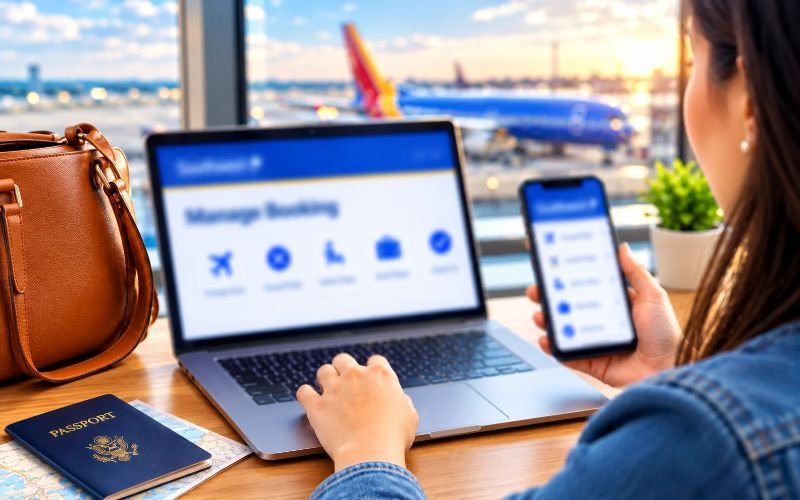
Travel plans can change in hard-to-predict ways, whether you need to reschedule a flight, update traveler details, choose a seat, or cancel a trip altogether. Southwest Airlines lets you handle many of these changes through its website and mobile app.
The Southwest Airlines Manage Booking feature lets passengers view their bookings and see what options are available before they leave. Depending on the price you paid and the change you want to make, travelers can switch to eligible flights, cancel their booking, change seats, add extra bags, and check in from their phone or computer.
Southwest’s booking rules have changed over time, especially with assigned seating starting in January 2026 and new baggage charges. Knowing about these changes can help you avoid costs and handle your travel plans better.
This guide will show you how to use Southwest Airlines Manage Booking, how to change or cancel a flight, how to pick a seat, what the baggage rules are, and how to deal with common booking questions. So, keep reading.
How to Access Southwest Airlines Manage Booking
Passengers can find a reservation on the Southwest Airlines website or mobile app. You generally need a confirmation number and passenger details to locate a reservation that was made without signing in.
Follow these steps to manage a reservation:
1. Visit the Southwest Airlines website or open the Southwest mobile app.
2. Navigate to the Manage Reservations or My Trips section.
3. Enter the confirmation number and the passenger’s first and last name if prompted.
4. Retrieve the itinerary. Review the available management options for the reservation.
5. Select the service you need, such as changing a flight, canceling a reservation, or managing seats for the reservation.
6. Follow the instructions. Review any applicable charges before confirming the changes to the reservation.
Note: If you booked while signed in to your Rapid Rewards account, you can also access the reservation through your account.
What Can You Do With Southwest Airlines Manage Booking?
Southwest Airlines Manage Booking helps travelers handle parts of an upcoming trip.
- Flight changes: Southwest Airlines Manage Booking lets you change your itinerary and review alternative flights.
- Cancellations: Passengers can cancel reservations and see if a refund or flight credit applies.
- Seat selection: Southwest Airlines lets you choose a seat based on your fare, loyalty status, or credit card benefits.
- Baggage management: Manage Booking lets you review baggage allowances and manage checked‑bag requests.
- Online check‑in: Travelers can check in before departure and get their boarding pass.
- Passenger information: Southwest Airlines Manage Booking allows you to add traveler details or request corrections where allowed.
- Flight information: Review your itinerary and see the flight status before the journey,
Need to change a name on the reservation? Review Southwest Name Change Policy.
How to Change a Southwest Airlines Flight?
If your travel dates or destination have changed, you may be able to modify your Southwest flight online without paying an airline change fee. However, the fare rules and any difference in ticket price still matter.
Steps to Change Your Flight
Here are the steps you need to follow for Southwest flight changes.
1- Open the Southwest website or app and log in to your account to access your reservation.
2- Find the trip you want to change and select the Change option.
3- Look through the flights and pick one that works for you.
4- Check the itinerary carefully and see if there is any fare difference.
5- Finish the change process. Save the updated confirmation information.
Note: Southwest lets you change flights up to 10 minutes before the original departure time. If you miss this time and do not change or cancel, the airline may treat your flight as a no-show.
Are There Flight Change Fees?
Southwest does not charge an airline change fee on its fare options. However, a priced replacement flight may require an additional payment.
Basic fares have a restriction: you must upgrade the reservation to an eligible higher fare before making a flight change.
If the replacement flight costs less, the difference may be. Issued as a flight credit depending on the fare and applicable rules.
Southwest Airlines Cancellation Policy
If you can’t travel anymore, you might be able to cancel your reservation. What happens depends on your ticket price, how you paid, and when you cancel.
How to Cancel a Southwest Flight
Travelers can cancel their flights by following these steps.
- Go to Southwest’s website or open the mobile app.
- Click on Manage Reservations. Find your booking.
- Choose the Cancel option.
- Check the cancellation details and any information about refunds or credits.
- Finish the cancellation. Save the confirmation email.
- For some bookings, you can cancel up to 10 minutes before the scheduled departure time.
Will You Get a Refund?
Southwest’s cancellation rules depend on the fare you bought:
- Basic: not refundable, but there are some exceptions and rules about credits.
- Choice: Whether you get a refund or credit depends on the terms of your booking.
- Choice Preferred and Choice Extra: These fares can be refunded if the rules for that fare are met.
Note: If you cancel a ticket, you may receive a flight credit instead of a refund to your original payment method. If Southwest cancels a flight or changes the schedule, you may be entitled to more refund options.
Southwest Airlines Seat Selection
Southwest changed from seating to assigned seating on January 27, 2026. The seat options available to you depend on your fare, the seats available, your Rapid Rewards status, and any eligible credit card benefits.
The airline has three seat categories:
- Standard: Regular seats with normal legroom.
- Preferred: Seats with legroom that are in better areas, usually closer to the front.
- Extra Legroom: Seats that provide legroom in specific areas.
How to Choose or Change Your Seat
- Go to your reservation on Southwest’s website or app.
- Look for the seat selection option. Open the seat map.
- Check the seats and any prices that are shown.
- Pick a seat that is included with your fare or pay for an upgrade that is allowed.
- Confirm your choice. Look at your updated travel plan.
Choice fares usually let you pick a seat when you book, while Choice Preferred lets you choose a Preferred seat or a Standard seat. Choice Extra lets you choose Extra Legroom seats or other available seats.
Basic fares usually assign a seat at check-in, but some loyalty or credit card benefits may give you more choices.
Southwest Airlines Baggage Policy
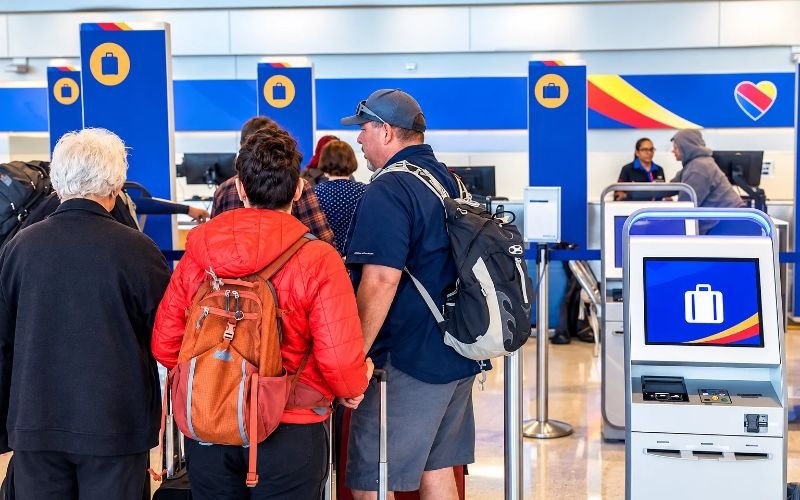
Before departure, check the baggage allowance attached to your reservation. Southwest’s current baggage policy differs from older descriptions that promised two free checked bags for every passenger.
Carry-On Baggage
Passengers can bring one carry-on bag and one personal item at no extra charge, subject to the airline’s size and safety requirements.
A personal item may include a small backpack, purse, or laptop bag that fits in the designated storage space.
Checked Baggage Fees
For U.S. mainland travel booked and ticketed or changed on or after April 9, 2026, the standard fees for many Basic, Choice, and Choice Preferred fares are:
- First checked bag: $45 each way.
- Second checked bag: $55 each way.
Eligible Choice Extra passengers receive two free checked bags. Qualifying Rapid Rewards members and credit cardholders may also receive baggage benefits under the applicable terms.
Southwest’s standard checked-bag limits generally include a maximum weight of 50 pounds and combined dimensions of 62 inches per bag, including wheels and handles. Additional charges may apply to oversized, overweight, or extra bags.
Eligible passengers can manage checked-bag requests through Southwest’s website or app after checking in. Online baggage services generally become available within 24 hours of departure.
How to Check In for a Southwest Airlines Flight?
Online check-in helps you prepare for your trip and get the travel documents you need. Southwest usually allows check-in 24 hours before your scheduled departure time. To check in:
- Visit the Southwest website. Open the Southwest mobile app.
- Choose the Check In option.
- Enter your confirmation number and your passenger name if asked.
- Find your reservation. Follow the steps shown on the screen.
- Get your boarding pass or your security document.
For domestic flights, check-in usually closes 30 minutes before departure. For international flights, check-in typically closes 60 minutes before departure, but some destinations may have different rules.
Passengers must also arrive at the gate by the airline’s deadline. Southwest recommends arriving at the gate at least 10 minutes before departure. This helps avoid any issues, including cancellation due to late arrival.
How to Check Southwest Airlines Flight Status
Checking your flight status before you leave for the airport helps you prepare for schedule changes or delays.
Follow these steps:
- First, open the Southwest Airlines website or app.
- Next, look for the Flight Status section.
- Then search using your flight number or your route if you have that information.
- Make sure to select the travel date.
- After that, check the departure time, arrival time, and the current status of your flight.
Always double-check your flight status again before you leave for the airport. Flight information can change at any time. For accurate and reliable updates, use the airline’s own flight status tools. Also make sure you’re getting any notifications sent to your contact details.
Can You Use Rapid Rewards Points to Manage a Booking?
Southwest’s Rapid Rewards program lets members earn points and use those points to book flights.
If you have booked a reward flight, you can normally find that reservation in your account or with the reservation management tools. If you want to change the flight, you might need points if the new flight is more expensive.
If you cancel a reward reservation, the points and any taxes or fees are dealt with based on the fare and cancellation rules. The no‑show policy is very important. If you do not cancel at least 10 minutes before the flight, you could lose the points and the taxes for certain Basic or Choice reward bookings.
Check the terms of your reservation before you cancel or change a reward flight.
Tips for Managing Your Southwest Reservation Successfully
A few simple precautions can help make the process easier:
- Review fare rules before booking: Lower-priced fares may have more restrictions.
- Make changes early: Avoid waiting until the departure deadline.
- Compare replacement fares: A change may be free of an airline change fee. Still involve a fare difference.
- Check seat assignments: Assigned seating is now in effect, so verify your seat before travel.
- Review baggage charges: Do not assume that two checked bags are included with every fare.
- Track flight credits: Check expiration dates. Ensure you complete travel within the permitted period.
- Save your confirmation number: Keep your booking details. Updated confirmation email accessible.
Final Thoughts
Southwest Manage Booking lets travelers handle their flight reservations in one place. You can change your flight, cancel a booking, check your itinerary, or view flight details with ease. The online tool makes managing your trip much easier. Just have your booking confirmation number and passenger information ready. That way, you can log in, find your reservation, and make any changes allowed under Southwest Airlines rules and fee structure. Always double-check your updated itinerary and booking details before your trip. This helps ensure a more convenient travel experience.
People May Also Ask
You can check the seat availability with Southwest Airlines by visiting the official website and checking the live seat map.
Travelers can bring one carry-on bag and one personal item in the cabin with Southwest Airlines. For checked bags, rules vary by fare.
To manage your Southwest Airlines reservation, visit the official website and go to the Manage Reservation page.
Yes. To do so, visit the flight search page available on the official website and click on the ‘Multi-city’ option.
Yes. Southwest Airlines charges a fee for flight changes. Also, if you do not cancel your reservations 10 minutes before the journey, you will not get a refund.
Southwest Airlines check-in opens 24 hours before departure. It closes 30 minutes before departure for domestic flights and 1 hour prior for international flights.
Southwest Airlines allows passengers to cancel their flights without any penalties up to 10 minutes before departure.
Yes. Passengers can change their flight after booking via the Southwest Airlines app or official website.